Download ZipCloud
Start Storing Your Files In The Cloud
Your free download will start automatically and give you 15MB Storage or 50 files for 14 days. If it doesn't, please click the download button below.
Download AppYour login details
Email Click here to login
Password *** chosen by you ***
-
1
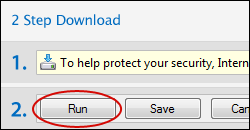
When prompted to download please click "Run" from the yellow box below.
-
2
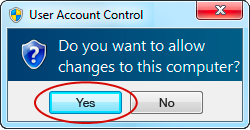
If your computer asks you to allow changes to be made click "Yes".
-
3
The installer will automatically open when the download is complete.
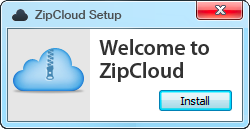
By following these steps you will download and install the ZipCloud software on this computer. This software will automatically start backing up files from your computer and saving them securely in an online cloud user account. Once installed a sync folder will be added to your desktop for you to easily drag and drop files to backup.
To uninstall please use the link in the footer or click here